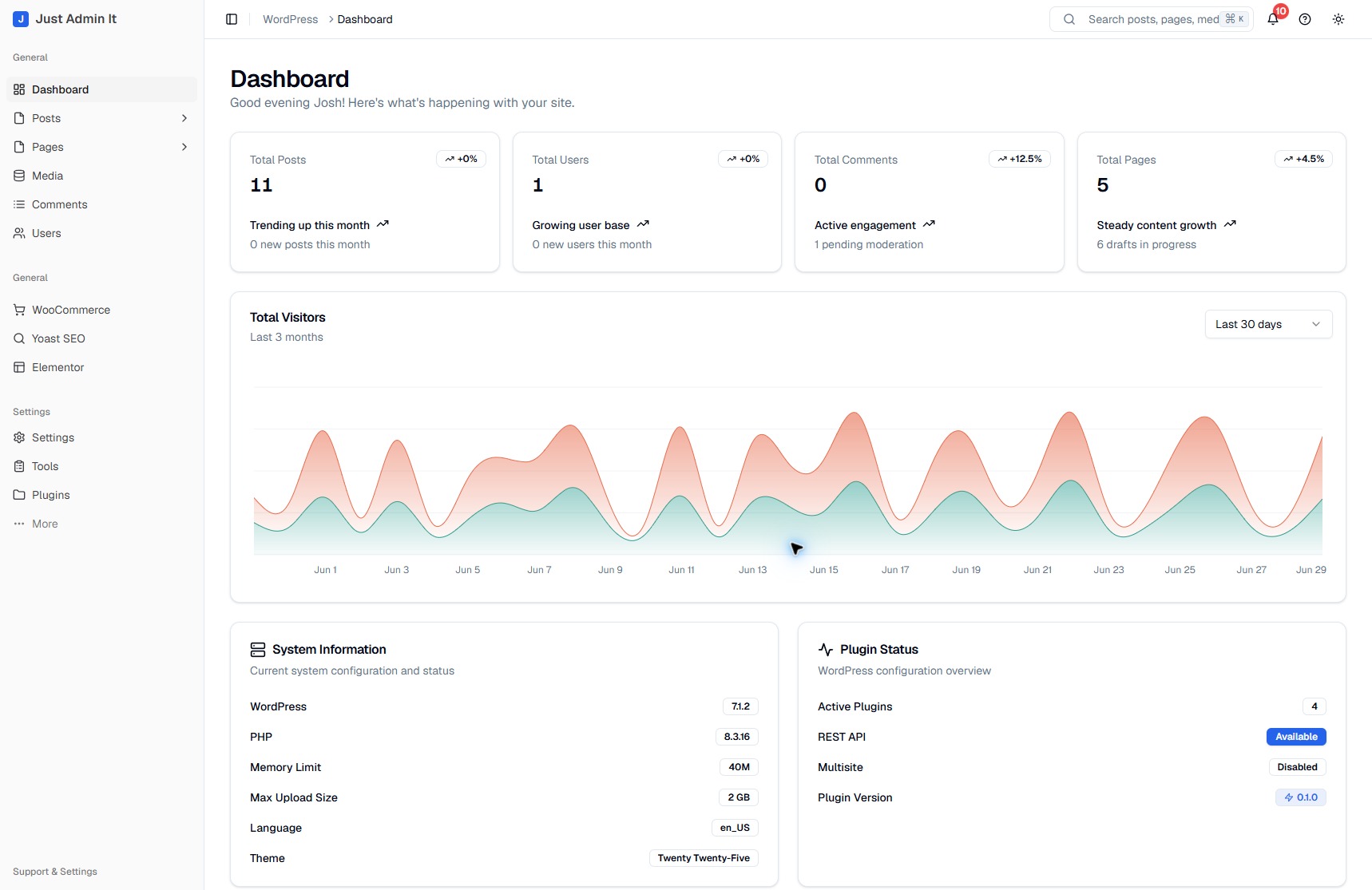
See the state of the site
Content totals and system information give the dashboard a practical starting point. Each area has a direct route into the underlying work.
Inside Just Admin It
Move from the publishing queue to the files behind a page, then into workspace preferences. Each task shares the same navigation and visual language.
Running a WordPress site means moving between content lists, editors, media, and plugin screens. As the site grows, the interface can make routine work harder to follow.
Keep WordPress as the engine and build a consistent React workspace around it. Prioritize familiar tasks, searchable content lists, and direct routes into the tools editors already use.
A working plugin with content management, media, site settings, and plugin access in one shell. The project began as Just Dash It and now continues as Just Admin It.
01 / Publishing
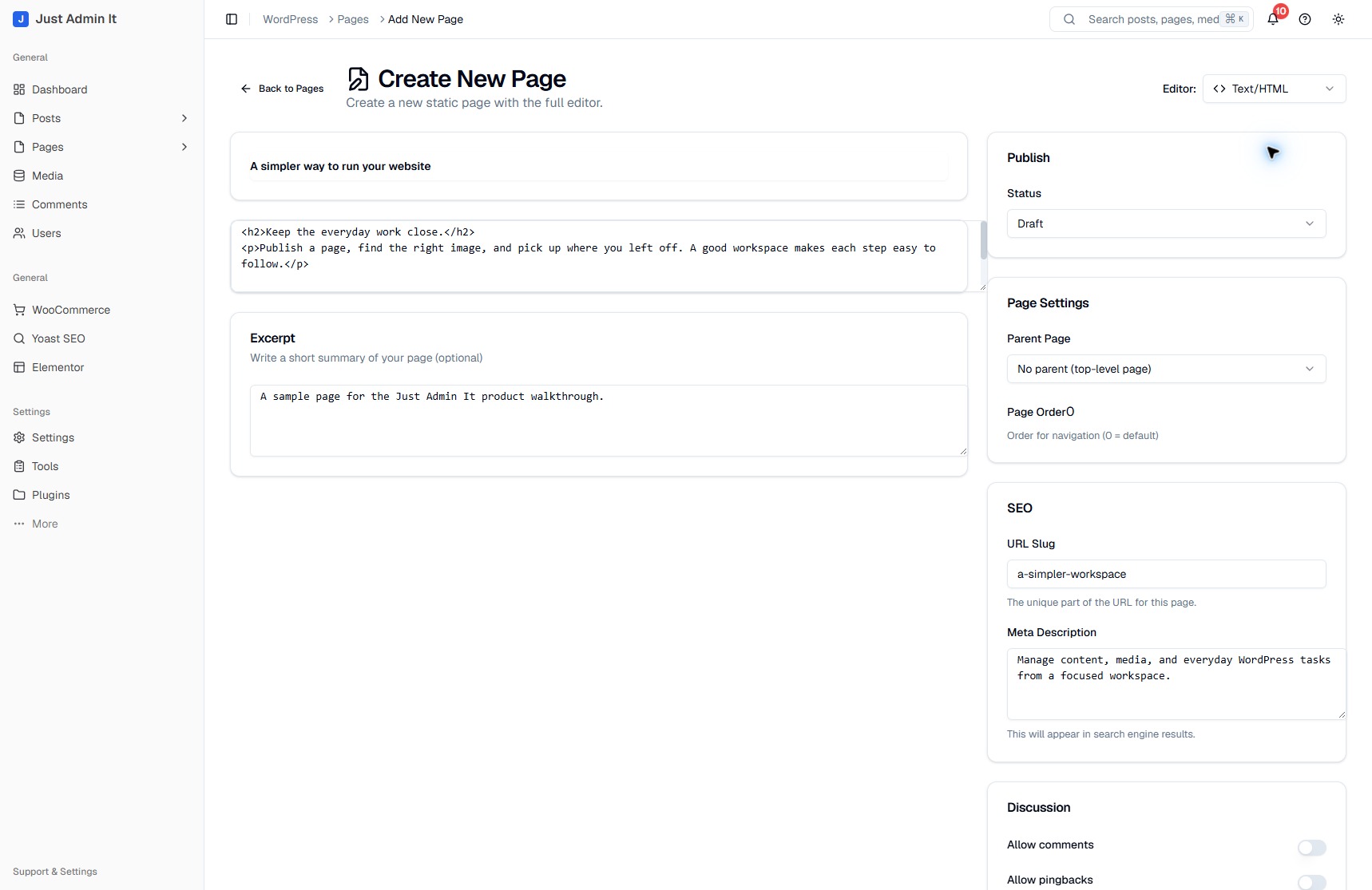
Writing a page also means deciding where it belongs and how it appears in the site. The Text/HTML editor keeps the title, content, and excerpt beside publishing status, page hierarchy, and ordering.
The slug and meta description remain in the same view. It is a custom React form connected to WordPress, with a shared layout for the writing and the details around it.
02 / Quick access
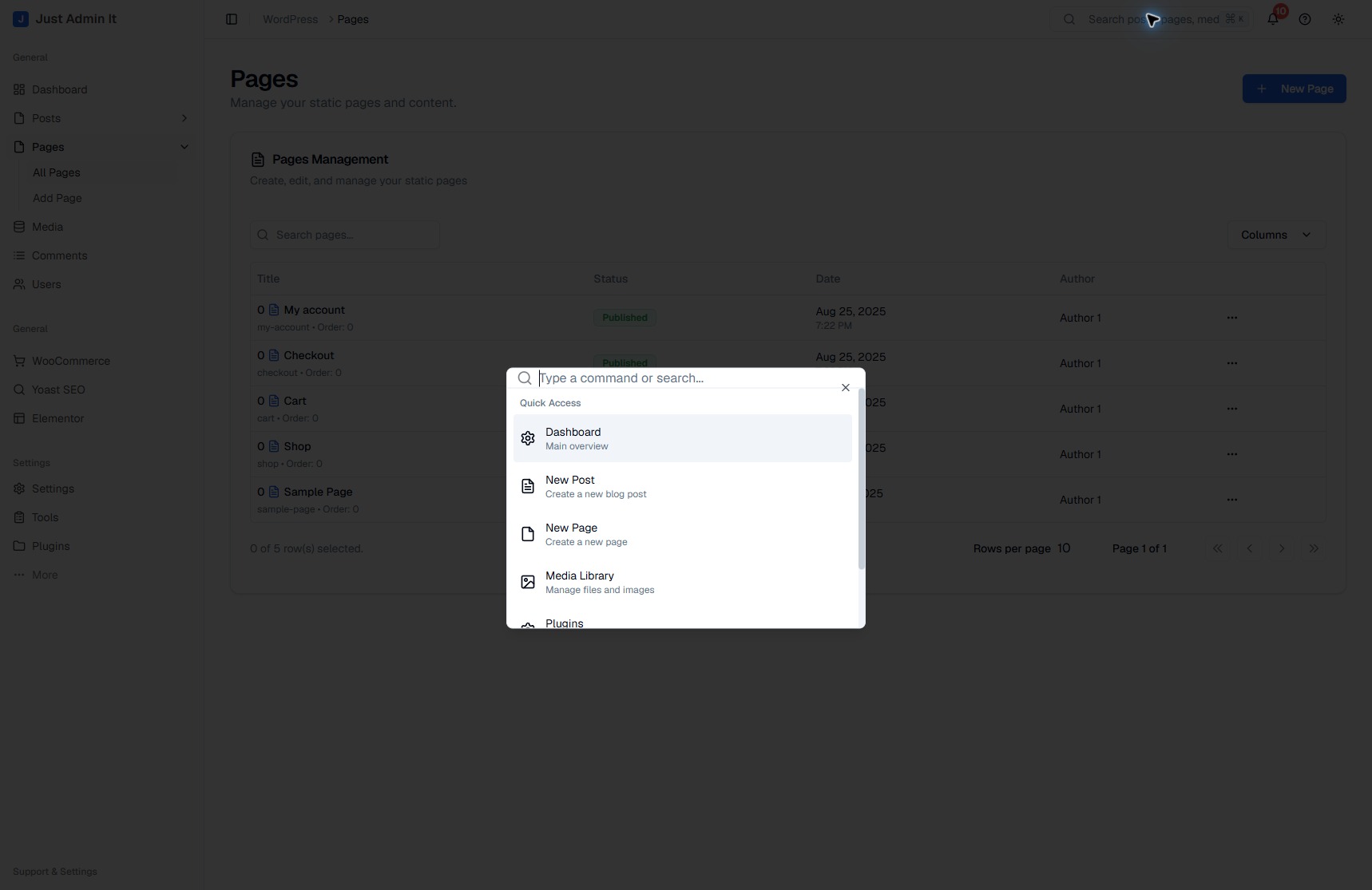
The command menu puts frequent destinations in one compact list: the dashboard, a new post, a new page, and the media library. It gives repeat tasks a direct entry point.
The persistent sidebar and breadcrumbs provide context around that shortcut. Whether someone is writing, finding an image, or checking a setting, the surrounding workspace stays familiar.
03 / Site administration
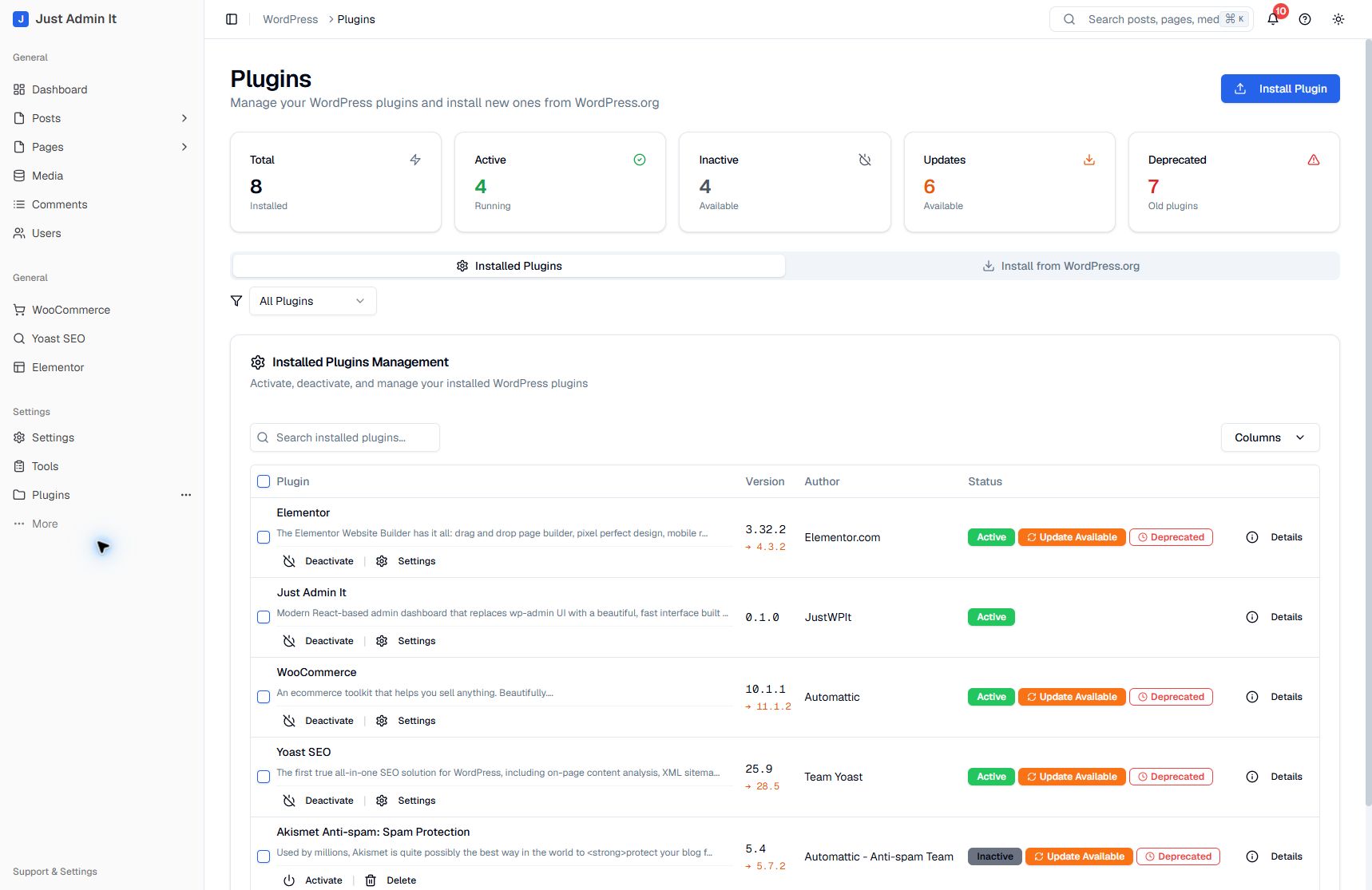
The installed plugin view uses the same cards, filters, and table structure as the content workspace. Names, versions, status, and available actions sit together in each row.
This extends the product beyond publishing into everyday site administration. Third-party tools remain part of the WordPress installation, with compatibility work continuing as the plugin develops.
The product
Content totals and system information give the dashboard a practical starting point. Each area has a direct route into the underlying work.
Bring drafts, published content, media, and next actions into a workflow editors can scan quickly.
Workspace preferences, installed plugins, and site administration stay within the same navigation. WordPress remains the content and permissions layer.
Current stage / Plugin in development
Just Admin It runs locally as a WordPress plugin. The case shows its current interface and implemented workflows; the dashboard includes illustrative activity indicators. Compatibility testing, unfinished integrations, and release preparation remain in progress.